
User guide: Commercial fisheries dashboard – average socio-economic contributions
The Commercial fisheries – Average socio-economic contributions dashboard shows the annual average of the following metrics for the harvesting and processing sectors for the years that you select:
- average annual output
- direct, indirect, induced and total contributions for provincial gross domestic product (GDP), jobs and household incomes
All values are shown in Canadian dollars that have been adjusted for inflation.
For the best experience, make sure that your default web browser settings are set to the language of your choice.
The Filters box
The “Filters box” has the following search options:
- Fishery group: shows the main species group targeted by the fishery
- Fishery name: describes the fishery including gear and methods used
- Year: the calendar year
At least one fishery group, fishery name and year must be selected for the dashboard to produce results.
Search for options
To search for options under a fishery group, fishery name or year:
- Scroll through the options using the scroll bar; or
- Enter an option in the search box. Note that this does not select the option. If the year or fishery that you are looking for appears, you can clear the search box and select this option by following the instructions below.
Select options
To select all options under a fishery group, fishery name or year:
- Check "Select All".
To select only one option under a fishery group, fishery name or year:
- Uncheck "Select All".
- Check the option that you are interested in.
To select all fisheries licenced under one fishery group:
- Check “Select All” under Fishery name.
- Check only the Fishery group you are interested in.
To select one species when you don’t know the fishery group it belongs to:
- Check “Select All” under the fishery group.
- Check only the Fishery name you are interested in.
Find annual average revenues and contributions for the harvesting and processing sectors
To find the annual average revenues and contributions for the harvesting and processing sectors for a given fishery:
- In the "Filters box", select the options that you are interested in.
- Select the fishery group(s) you are interested in.
- Select the fishery name(s) you are interested in.
- Select the year(s) you are interested in. If you select only one year, the tables will show the total revenues and contributions for that year. If you select multiple years, the tables will show the annual average revenues and contributions over the years selected.
Charts are sorted by default alphabetically by the first column. You can change the chart view by clicking the sort icon in a column to sort the information by greatest to smallest or smallest to greatest.
Data
This dashboard presents our analysis of the data. If you would like to perform your own analysis, you can access the raw data here.
Images
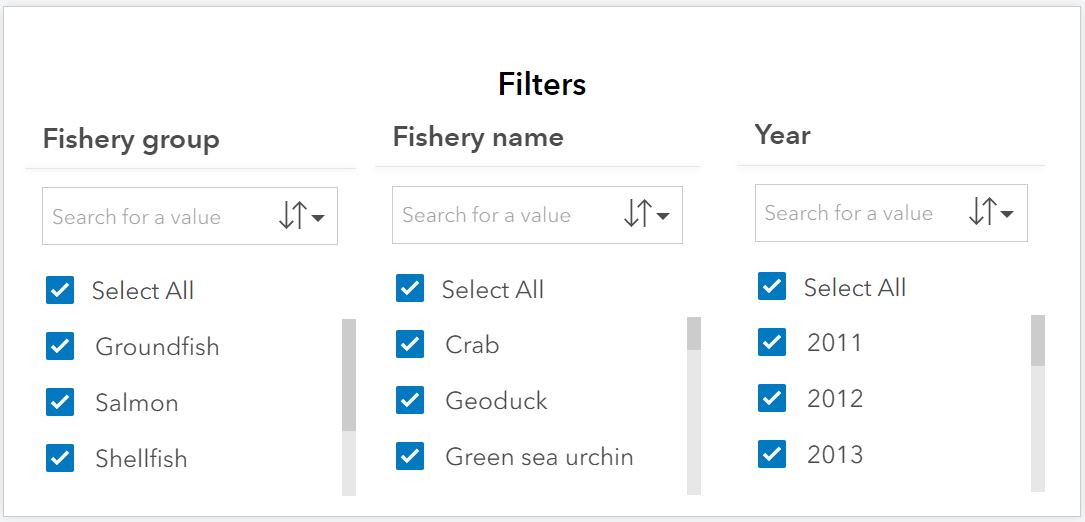
Filters box
Page details
- Date modified: